The price of anything is the amount of life you exchange for it
Henry David Thoreau
Doom scrolling is a bottomless pit that takes the most amount of life in this era of internet and social networking.
When we use social media sites like Facebook, Instagram, YouTube etc. and “enjoy” various types of content, we do not have to click the next button. What we need to do is just swipe our finger up and down and there is a new content. New image, new video. This infinite loop of posts, comments and media of various topics eliminates the scope of natural pause and makes you scroll again to see the next post.
Why do we scroll?
Because we don’t know if the next post will be funny, adventurous or sad. Our brain releases dopamine in anticipation of what’s coming next and we keep scrolling to chase the next hit.
The result?
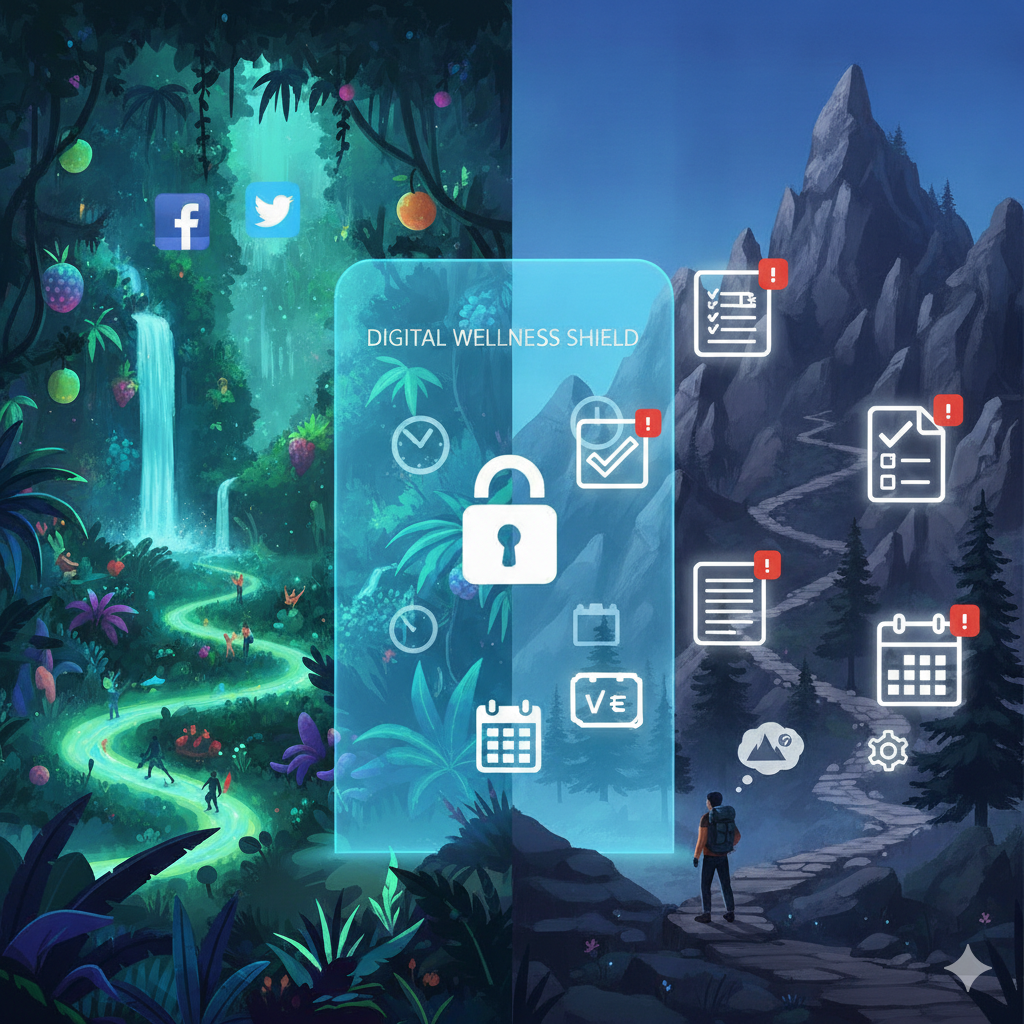
We start wasting a hefty amount of time, and very soon we find ourselves in a situation where we have procrastinated so much that the backlog of work that needs our attention seems like a mountain. Let me show you the Flow of Procrastinated Mountain.
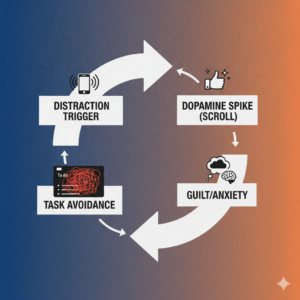
Distraction Trigger: It starts with the urge to be distracted from the task. Maybe in between switching two tasks. Maybe with a break. Problem is when it starts, it does not stop.
Dopamine Spike (Scroll): Now that you are seeing content you like, your dopamine signals you for more. It tells your brain that maybe the next post will be funnier. Or more adventurous. So your finger scrolls.
Guilt/Anxiety : Now if the next post is not that good. You feel guilty and anxious. You want something to reduce the guilt. You want to make it worth of your time.
Task Avoidance: Even if you remember your pending tasks, the guilt of avoiding it raises and you want to be distracted again. So you go back to scrolling again.
The Jungle-Mountain Analogy
I have thought of an “jungle-mountain” analogy to describe this. You want to go to your happy place called HOME. But to get there you have to cross the jungle that you are in right now and the mountain that you can see from the jungle. But to cross/climb the mountain, you first need to scale it and make a plan of how to do so. But you can not do this from the jungle. You can only see the mountain from here. Nothing more.

You know what the real problem is? You are just running around the jungle endlessly and making plans of climbing up the mountain without even knowing the actual trek.
So, how do we get home?
The Solution….
One thing is clear. That we must get out of the infinite jungle first. Only then we can plan how to scale and climb the mountain. While we are trapped deep inside the thicket, any grand strategy we make about the mountain has zero value because we can’t even see the track yet.
In our digital lives, that never-ending jungle is the infinite loop of posts, reels, tweets and videos across our feeds. One think we must keep in mind that whether it’s Facebook, Instagram or YouTube, their end goal is to keep you scrolling. To do so, the mechanics or algorithm they follow is somewhat identical too. The algorithm systematically shows you exactly what triggers you.
How do they know?
- They track the exact millisecond you linger on a video.
- They log every double-tap, commend and link click.
- They map your behavioral data to profile your vulnerabilities, serving up addictive content from account you don’t follow yet.
- In addition, the pages you follow, the channels you subscribe and friends you have.
Your entire usage history is the fuel this machine feeds on. It consumes your past behavior to predict your future attention, feeding you an endless stream of digital adrenaline.
The “Boring Homepage” Strategy
For me, the solution was obvious and intuitive. I thought, if I can starve the algorithm of its data, it loses its power.
By systematically wiping out my historical behavioral data, the algorithm is left with nothing to base it’s predictions on. I can effectively lobotomize it’s ability to force me into an ocean of hyper-curated content.
And what is the result of an homepage or feed that is generic, random and completely uninteresting? You get bored, You close the tab. Other important things comes in front of you. And exactly this occurred to me. I did not like what I see and I move out to the things that I actually like more. My work.
Let’s systematically reset these algorithms one by one and get out of the jungle to the mountain.
Youtube
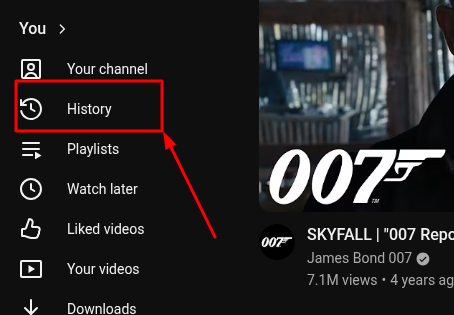
1. Got o YouTube on your browser and look at the left hand sidebar menu.
2. Scroll down and click “History”
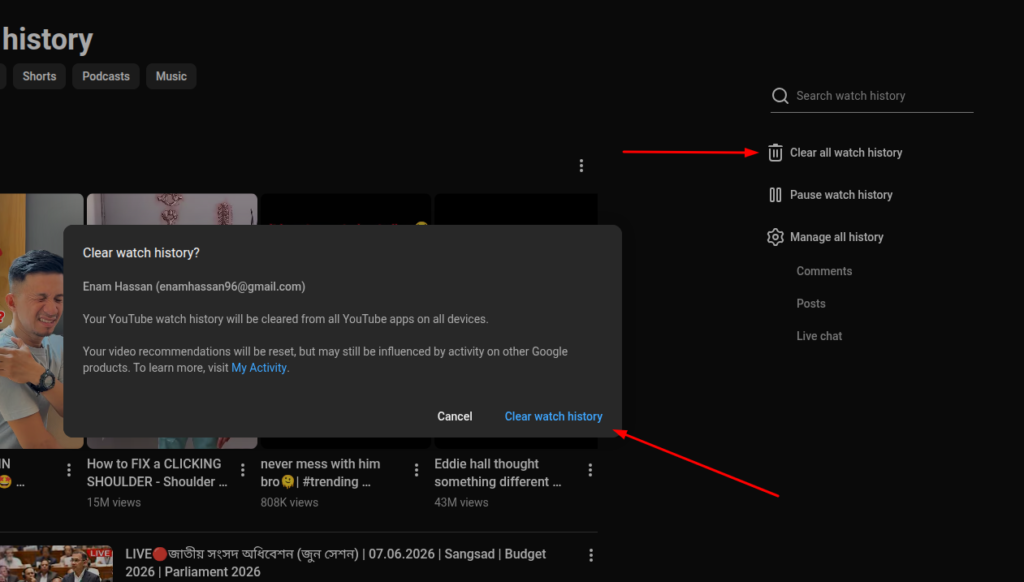
3. On the right side of the screen, click “Clear all watch history”
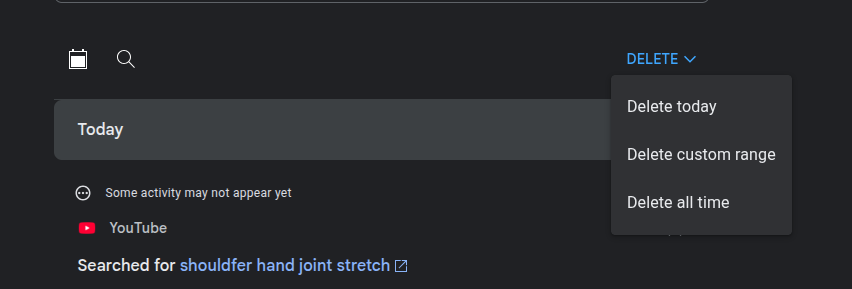
4. Next, click on Manage all history (this opens your Google My Activity page). Go to the Delete dropdown menu and select Delete all time to wipe out your search logs.
Now that you go back to YouTube, You will see a blank canvas.
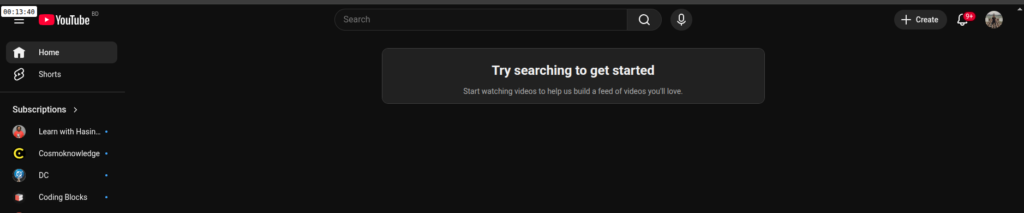
** You can pause history tracking if you don’t want YT ti suggest content outside of your subscribed channels.
1. Open Instagram on Your Mobile. (*With desktop you can’t do this)
2. Click the Three horizontal lines icon at the top right corner of your profile page.
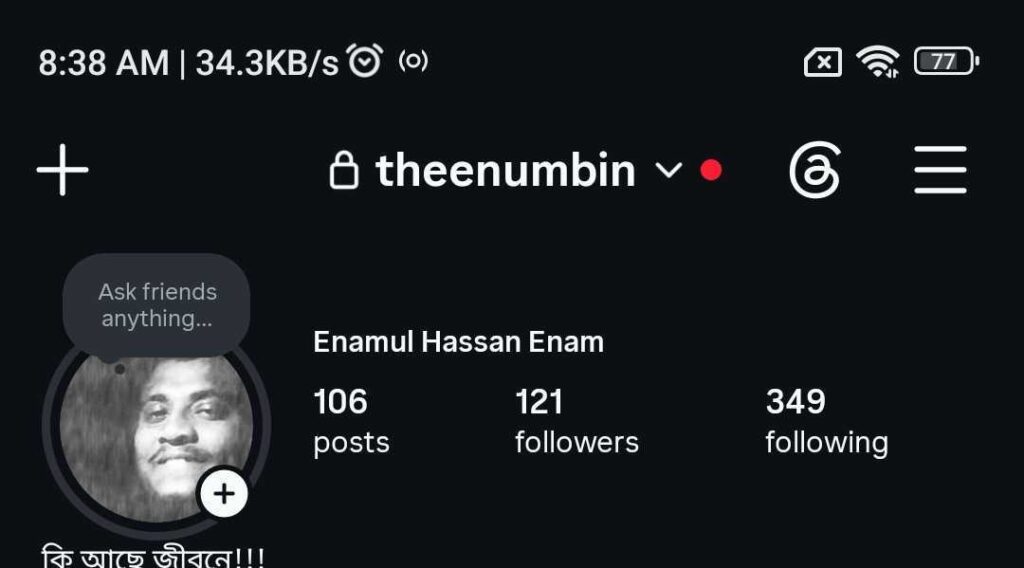
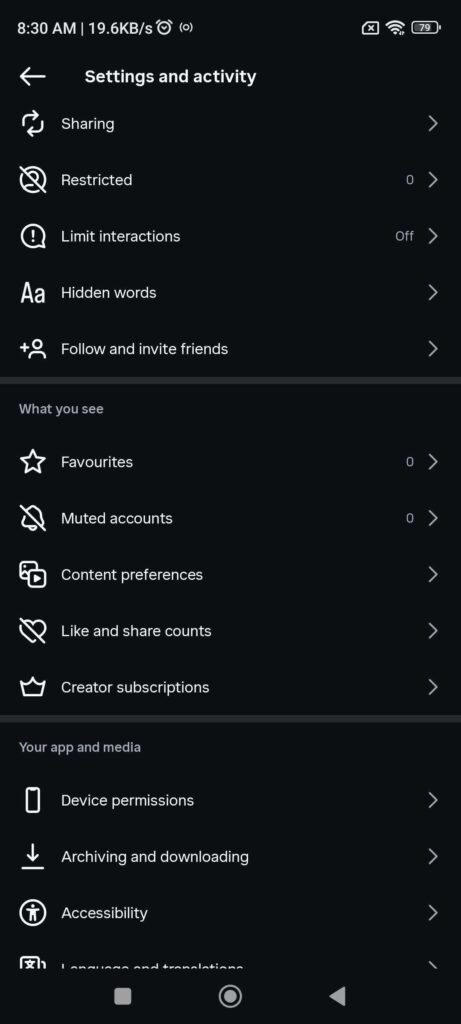
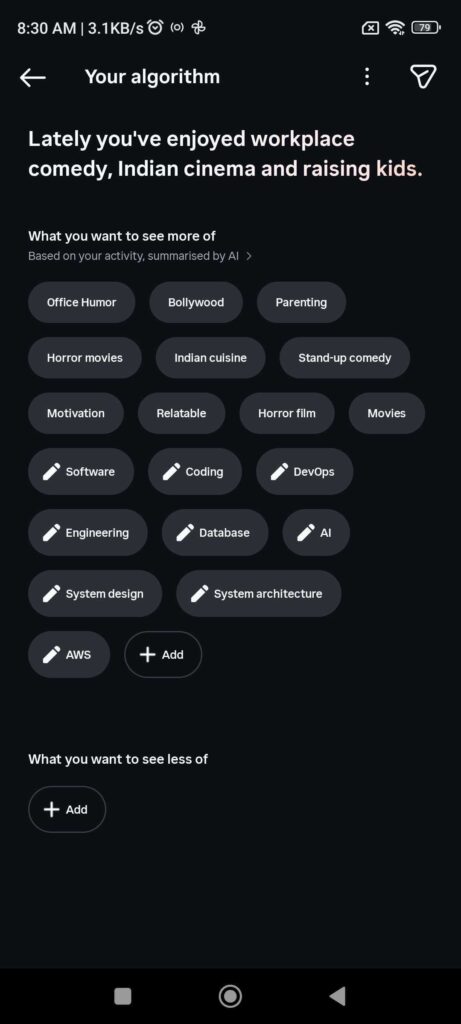
3. Scroll down and look under the “What you see” section. Click on Content preferences. There you will find “Algorithm” and “Reset Suggested Content”. You can fix the algorithm and reset suggested content from there. See the images below.

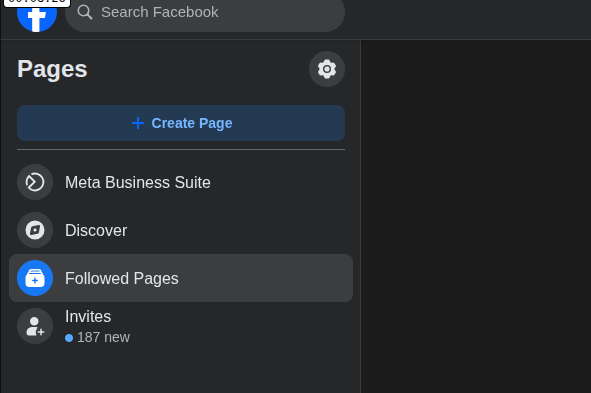
Unlike the other three stated above, facebook does not have a “Reset” button. You have to manually do the unliking and unfollowing. For me, I went to the pages that I follow and unfollowed distracting pages one by one.
Done!!!!!
We have successfully cleared the content algorithm. The jungle is now behind us and we see the mountain. But is it really over?
Done? Really?
The problem with this era of social networking is, these sites has been a part of our life. In fact for some cases, our work lies directly in them. So it is nearly impossible for us to uninstall or remove them. Back to the analogy, the jungle and the mountain is just one beside another and since the jungle is more attractive and less hard work, our mind/brain always wants to go back.
So what do we do? We set some blocker that blocks us from going back to the jungle.
Let’s Block the Jungle from Calling us Back
Actually in this case we don’t block the jungle. We can’t actually. What we can do, what I did is blocked myself from the jungle. I put some blockers in a way that whenever I was to go back to the jungle while working, these blockers would notify me.
1. Environment Isolation: The Two-Profile System
The first step I choose is isolate my browser window for work. I stopped using the same browser window for building applications and watching entertainment. I diagnosed the problem and understood that I need a notice or a lead time before the context is switched from work to entertainment. So I partition my browser into distinct operating environments.
Google Chrome provides an awesome feature of keeping separate profiles based on two different emails. 1. The Work Profile and 2. The Personal Profile
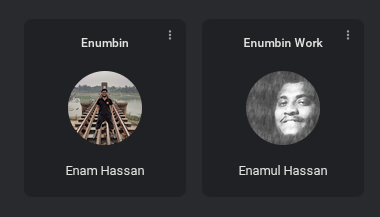
- The Work Profile: I configured this profile using a formal, professional headshot. This profile contains zero social media logins. Facebook, X, and Instagram do not exist here. For YouTube, I logged into a completely separate, clean Google account used strictly for software development, technical documentation, and learning. The homepage is entirely dry, filled only with engineering concepts.
- The Leisure Profile: This profile uses a photo of me traveling. This is where my personal email, social accounts, and entertainment live. Crucially, I do not open this profile until my work blocks are completely finished.
* The idea of using related profile avatar was a game changer for me. Visual images are one of the most important cue for human being. And using professional image and leisure time image for related profile works like a charm here.
2. The Automated Guardrail: LeechBlock Chrome Extension
Willpower is a finite resource that depletes as the day goes on. So I decided not to rely on it. I started looking for software extension to enforce me externally.
While I was searching for blockers to stop me from going back to the jungle. I came across the “LeechBlock NG” chrome extension. This extension provides some features that solves my exact specific problems. Let me point out some settings that worked for me.
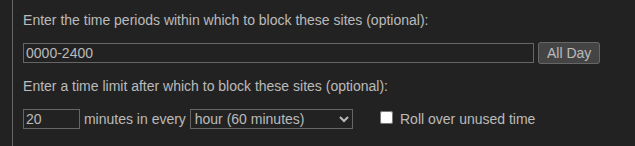
1. I was able to set separate rules for specific sites. For example, I set a rule for Facebook, Instagram and X. Another one for YouTube. The reason behind that is, I needed YT for research purpose. But the social sites to block all time for the work profile.
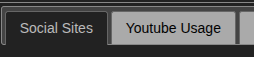
2. The second awesome feature I came across of this extension is, I was able to set different behaviors. Such as, for YouTube when the time is up it just mutes the site and apply a black and white filter. For the social sites, redirects to a blocked page.

3. I set a timer for the blocker to show. Also a time period for the blocker to be applicable automatically
The results?
- The social sites were blocked on my work profile.
- YouTube usage was limited. Only 20 minutes per hour. After that the site greys out. If I need more, I override (Another awesome feature).
- For my personal profile, social sites were blocked from 12:00 AM to 1:00 PM. Including YouTube.
We have successfully gotten out of the pit of endless scrolling and procrastination. We are now free to scale and climb up the mountain of work and finish the backlog.
For Desktop.
Done Now? Is it Over?
Yes it is done for desktop. We have set blockers and separate context window to concentrate work and finish pending jobs.
But we must keep in mind that we need to be conscious because the jungle keeps calling us by suggesting trending content, misleading videos and posts. We click one video, like one post and the algorithm is defected again. So what do we do?
In our work profile, any video that we see is not our work related, we click the three dots and select not interested right away. We block the channel or page and move on to the video that make us productive, knowledgeable and successful.
The Missing Link: The Mobile Threat
In this post we concentrated on making our PC doom-scrolling free. But there is another threat that stays with us all the time. Mobile. In another post I will write how I made that work.
For now. Keep Happy, Stay Happy!!!
Leave a Reply